
Introduction
I started to use Claude Code when Anthropic released Sonnet 4.0 and Claude Code was first released. I have used to to create some very cool things and they will all be getting a write up soon. From basic things like a Discord Birthday Bot or Notification Router to complex projects like a Video Game Tournamanet Manager or a Hugo Based Recipe Website. It has been a blast to create software and apps to fill niche needs in my life.
Below are a collection of tips I have learned along the way. I hope to help others create unique and cool projects. These tips apply to all AI coding tools but uses of Claude Code will benefit the most, as that is what I use.
Learn Git
This is arguably the most important tip in this post. Git is a source control system. Any time you change or modify your code, you save it, or in Git terms, you Commit it. This creates a history and a back up of your code.
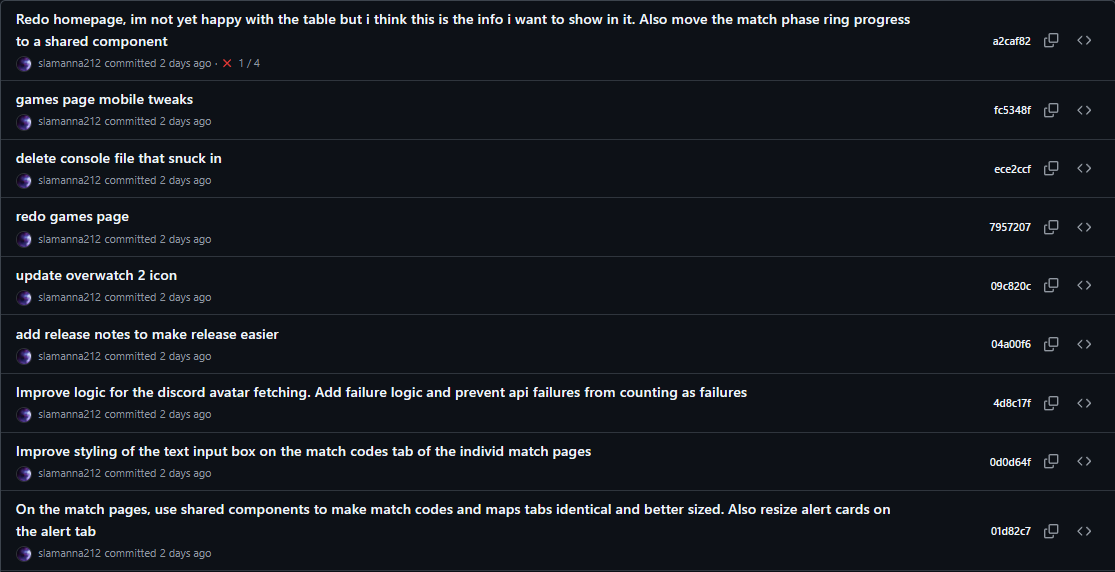
Suddenly notice a bug and want to know how it got there? Use Git to see when last those relevant files were touched. Not liking how something looks and want to go back to how it was before? Look through Git commits and grab the files that have the old layout.
Using Git also acts like a basic documentation system. Every time you make a commit, you must enter a message detailing what you did. If every commit has a good message, you can track what everything does.
There are tons of good resources to learn Git, some are: Microsoft Intro to Git, The Official Git Website, Oh My Git (A Game!).
Dev Setup
Where you code depends on what you are comfortable with. Tools like Claude Code or Cursor run on every OS so its up to you. I am going to provide info on how I set up my setup.
My Setup
I personally use a Linux VM on my proxmox server. I can connect to it from anywhere, and gave it plenty of RAM and CPU cores. I mostly make apps that run on linux, and like it, so its what I use.
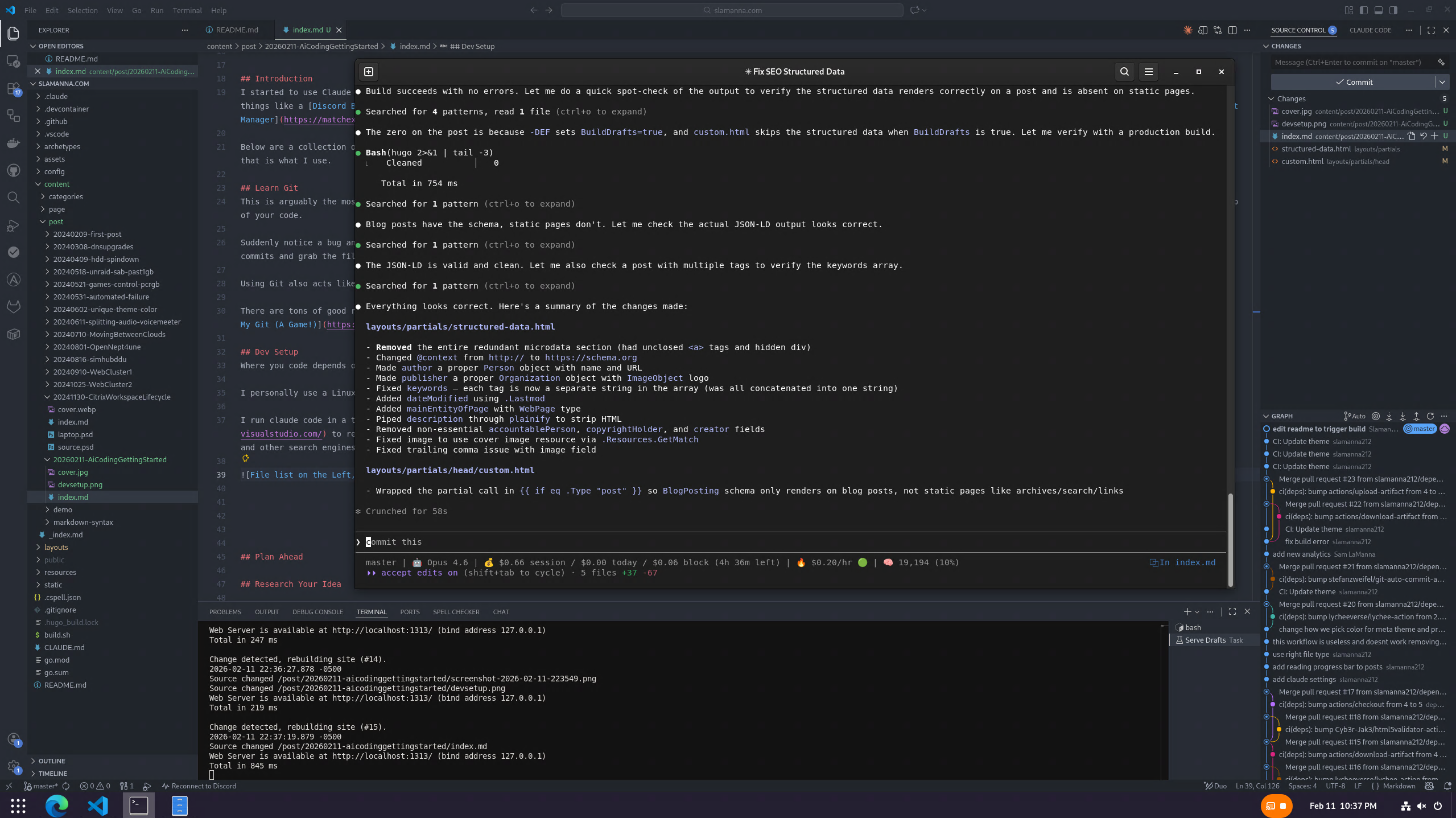
I run claude code in a terminal session, or command prompt window. You can follow their documentation to install it on your system. I use VS Code to review the code and commit to git. Not to get too meta but that is how I’m writing this post. Claude is fixing my structured data layout while I write this post. (It controls how Google and other search engines see my blog posts).
Usage Limits
Once claude finishes its task, I review and commit to Git. If I am working on something not directly related to what I just did, I type /clear and hit enter. This clears the model’s context window.
Every character of text you send in messages to the AI, every character of every file it reads, all of the thinking it does, all cost tokens. The more text, the more tokens used. The more tokens used, the faster you hit your usage limits.
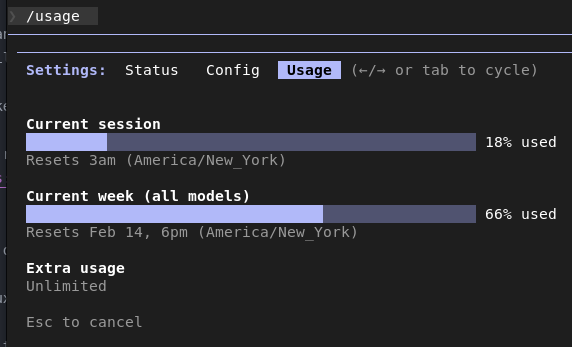
If using Claude Code, usage limits are strange. The first message with claude starts a 5 hour timer. You have a set amount of usage inside of that 5 hour block. There is no set metric used for this and it appears to change over time. You can track usage by typing /usage . You will also notice a weekly limit. Same concept, but over an entire week.
Different models have different “costs”. For Claude Code, Opus is the most expensive/capable, Sonnet is for every day work/a bit cheaper than opus, Hiku is for quick and easy tasks/cheap to use. I personally never directly use the Hiku model. Sometimes Opus and Sonnet will launch Hiku subagents to look through the codebase. A sub agent is just another copy of the AI launched by the parent AI to help it.
Personally, I use Opus to plan a project, and then write a detailed plan to create it, divided into phases. I then save that file as the first file committed to the Git repo for that project. I then use Sonnet to execute the plan. Sonnet does most of the work, but we benefit from the increased knowledge of the pricer model.
Plan Ahead
This may sound obvious, but have a solid plan before you start coding. You should be able to answer the below questions, and more, before you start coding.
- What is the point of this project?
- What will it do?
- What will it look like visually?
- How will it store data
- Does it need a database?
- If Yes, what data will be stored, and in what table structure (The AI can help figure this out.)
- Will it need to connect to any external API’s or services?
- How will you test what you make? (The AI and Code Maintainability section can help.)
First figure out where you want your project to run. Will it be a mobile only app, a website, a Windows desktop app, a linux terminal app, etc. I personally like web apps. Hosting is free on things like Cloudflare workers, when I update the code, everyone has the newest version right away, and it works on all devices. Once you know where your project will run, you can work with the AI to plan the technologies and programming languages you will use.
Once you know all of this, have your AI of choice generate a full plan to create your project. That is the first file you commit to Git. You and your AI will then work off of that file and create it.
Research Your Idea
Again, this might sound obvious, but make sure what you are making doesn’t already exist. Do some quick internet searches, so you don’t reinvent the wheel. It will just be a waste of tokens and your sanity.
Coding Workflow
Now that everthing is setup, it’s time to actually create. For me, its broken down into 2 main phases.
Create a Plan
For this, I use the claude website, claude.ai and the current biggest model. At time of writing, it is Opus 4.6.
I explain what I want to make, what technologies and programming languages I want to use, Features I want it to have, how I want it to look and how I want it to work. Don’t know this info? Just ask the AI to help fill in the holes. When you are happy with the plan, tell the AI to write it to a markdown file, broken down into steps with checkboxes. Download this file
Executing The Plan
Create a git repo for your project, upload the plan file we made with opus. Start Claude Code and select your preferred model, I use Sonnet for this. Tell Claude Code to read the plan , start executing it, and keep track of its progress with the checkboxes. All you do at that point is monitor what its doing and respond to the AI asking to use commands and tools.
If it wants to install a tool, take note of the tool it wants and then close claude code. You will see a line about resuming the session, copy that command. Install the tools then use that command to return to your existing session. Tell claude it now has the tools and to continue.
Code Maintainability
Ok, you’ve made your plan, you have started to code, and you can preview your creation and it is starting to look amazing. It’s time to make sure the code is good safe. There are a couple different methods we will discuss.
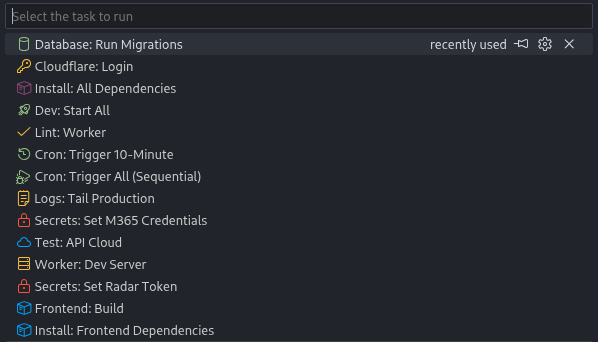
If you are using VS Code, you can make Tasks for these and make running them very easy. More info is available here, but you can also just ask your AI for help creating them.
Dependabot
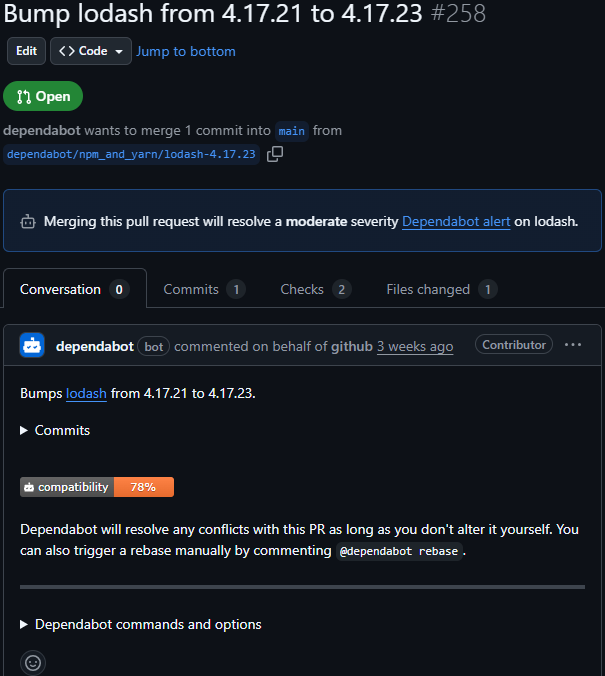
This is GitHub specific but a very useful feature. If your project uses dependencies like Python modules on NPM packages, dependabot will keep them up to date for you.
When new versions release, it will create Pull Requests so you can easily update your project. If you have the below checks setup, they can also be run on these pull requests to verify they wont break things.
Linting
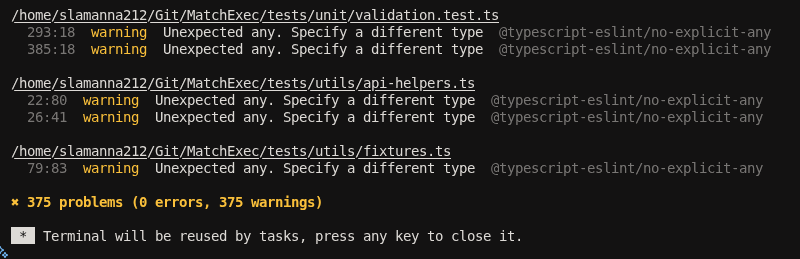
Most languages support linting. It analyzes the code to check for potential errors or illegal operations. It’s a way to check the AI’s work. It helps to ensure the code will run or build without errors.
You can ask your AI: “If possible, set up linting for this project”. It will create the necessary files and tell you how to use it. Every time you add a new feature or change a feature, run a lint check before you commit.
Build Checks
If you want to go one step further than linting, you can do a test build of the app. It will depend on your language, but like linting, just ask the AI to help you setup build tests.
Unit Tests
You can ask your AI to help you create unit tests. I only recommend these for more complex projects, and only if you can read the language you are working in. AI coding is known for making unit tests that don’t actually test anything.
Automation
Doing these tests manually is great, but having them happen automatically is even better. There are 2 main ways I do this.
Pre Commit Hooks
In some of my projects, I have precommit hooks setup. On my recipe website, when I add a recipe, dominiate colors are pulled from the cover image to be used throughout the UI. For my MatchExec app, Lint, Build, and Unit tests run when I commit files.
Github Actions/CI
GitHub actions can be used to do a lot of this testing for you, in the cloud. You can ask your AI to help write GitHub Action Workflows to have the above tests or other things happen on a schedule, or for other actions like opening a pull request or merging to specific branches.
A lot of projects I make can be deployed as docker containers. I use GitHub actions to build these docker images so once I commit to main, the entire release is automated.
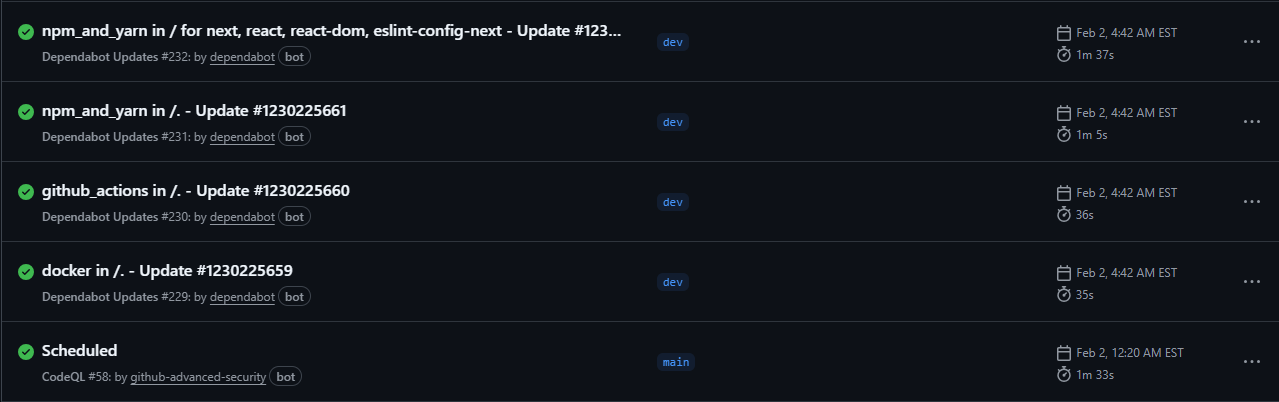
The ideal setup for your branches to best use these GitHub Actions would be:
- Main - This is your production, or main branch. This is the live app/code
- Dev - This is your Pre production, or testing branch. The code here is ready for release, it just needs final testing
- FeatureBranches - These are named whatever you are working on. NewPage , ScoringUpdate, WhateverYouWant.
You create a feature branch, write your code, commit it. Once the feature is done, you create a pull request to merge it to Dev. Workflows you setup , run, to ensure the code lints and builds, and wont break anything.
Once they pass you commit to Dev. You have something running this dev version. You play with it, make sure it works well, then create a PR to merge from Dev to main. You could have even stricter workflows here to make sure the code is perfect, and then merge to main.
Once code is merged to the main branch, your project gets built and distributed. This could be uploading to an app store, deploying to web servers, or soemthing else.
Claude Code Extras
These features might exist in other AIs, but I’ve only used them in Claude Code.
Skills
You can create special instruction files for claude to follow, to do specific repeatable tasks. My MatchExec project has one to give me a summary of all of the changes made in a feature branch and helps me create pull request notes and a testing plan. I just type /feature-test and it gets to work. Documentation
Plugins
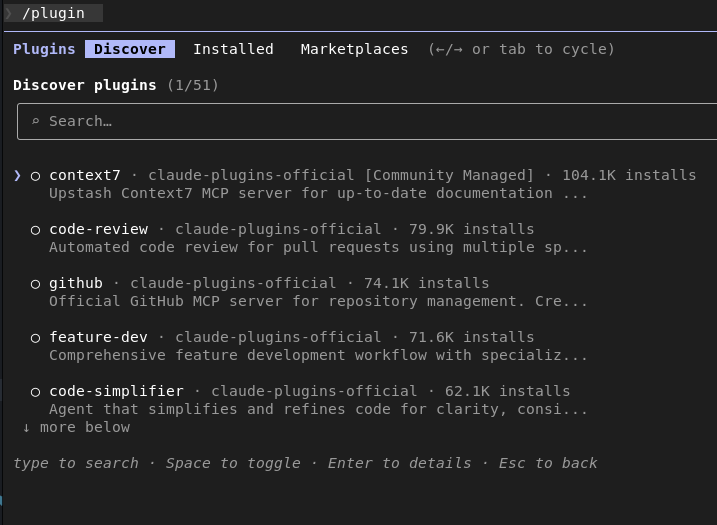
Plugins are a marketplace of slash commands, agents, MCP servers, and others. They extend the functionality of Claude. You can view the marketplace with /plugins.
I use the frontend-desinger slash command from Anthropic to help design web UIs. I also greatly use the Playwright plugin to help diagnose web page issues and test functions. Info
Final Notes
This post is only the start. Depending on what languages you are creating in, there could be more or less steps involved.
This is a rapidly evolving technology, even for the tech field. Stay up to date with your AI’s website and blog, and internet groups.