Introduction
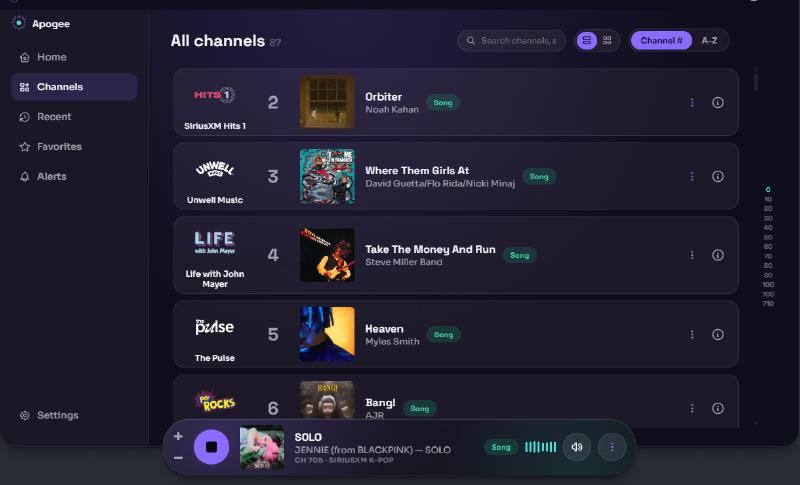
I have Dispatcharr setup and it is amazing. Some sources I have come across have internet radio streams, including Sirius XM. I wanted an easy way to listen to this on my computer, and I wanted to know what was playing.
As a continuation of my earlier post on coding with AI tools, I am breaking down the full process to create this app, from concept to ongoing support.
Concept
I started by looking at existing radio web players by popular services and concepts I found online. What did I like about them, what didn’t I like.
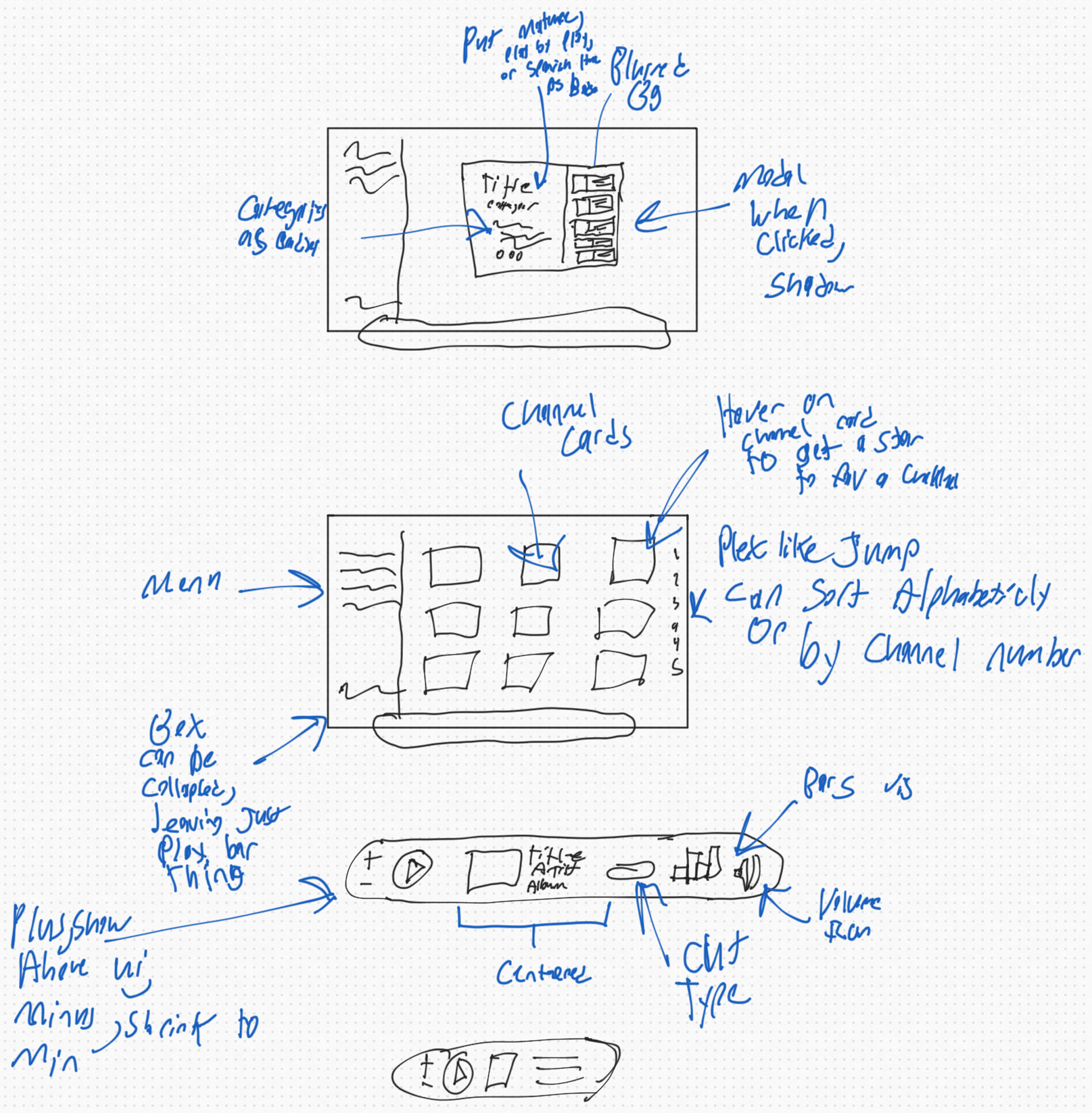
I then drew sketches of what I wanted it to look like on my iPad. This is something I started doing on paper years ago for web design. Just a rough sketch of the general layout of what I’m making. Once I got an update they became digital and in color, but not any nicer looking.
I started talking about this on the Dispatcharr Discord and got in touch with @jstevenscl. He created https://stellartunerlog.com/ , an API for Sirius XM data including information, pictures, now playing info, and more. It’s exactly what I needed for this project. I worked with him and looked through the documentation for it to see what all I would want to use.
I have a rough idea of the layout of the app and I have a source for information. How do I make this data usable for Claude Code to actually build the app? Claude Design is perfect for this.
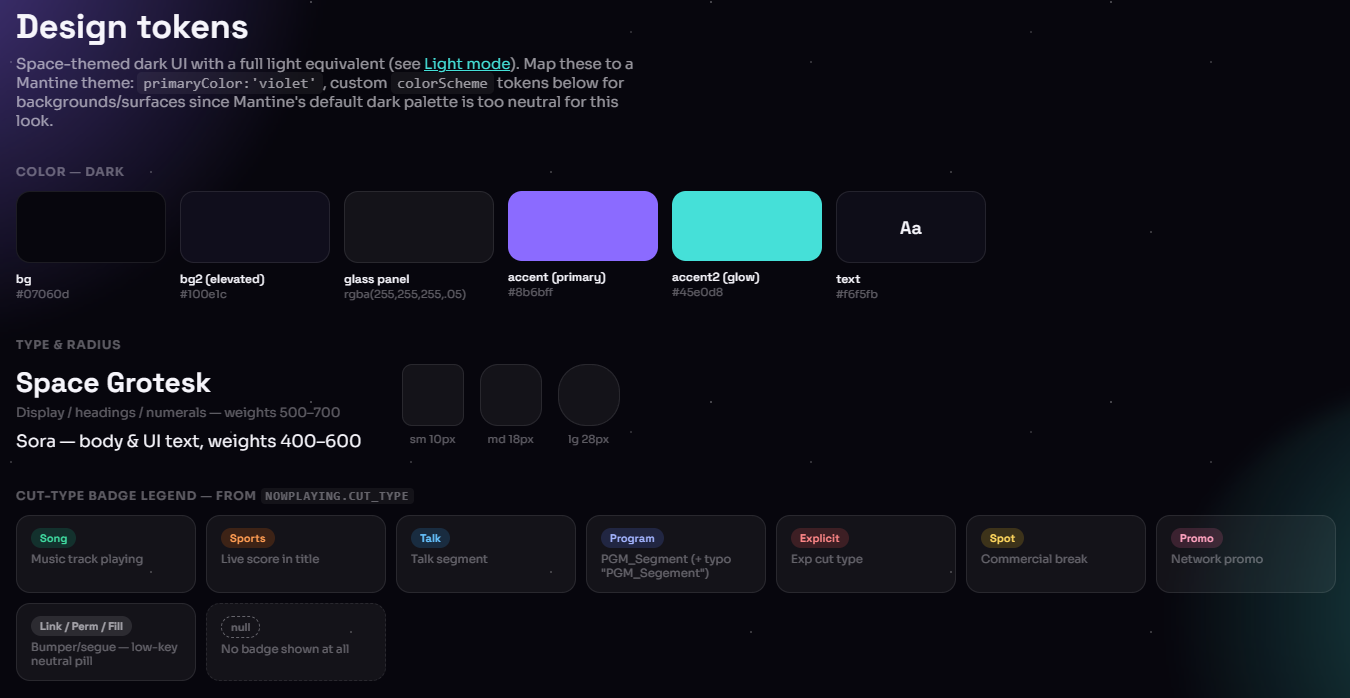
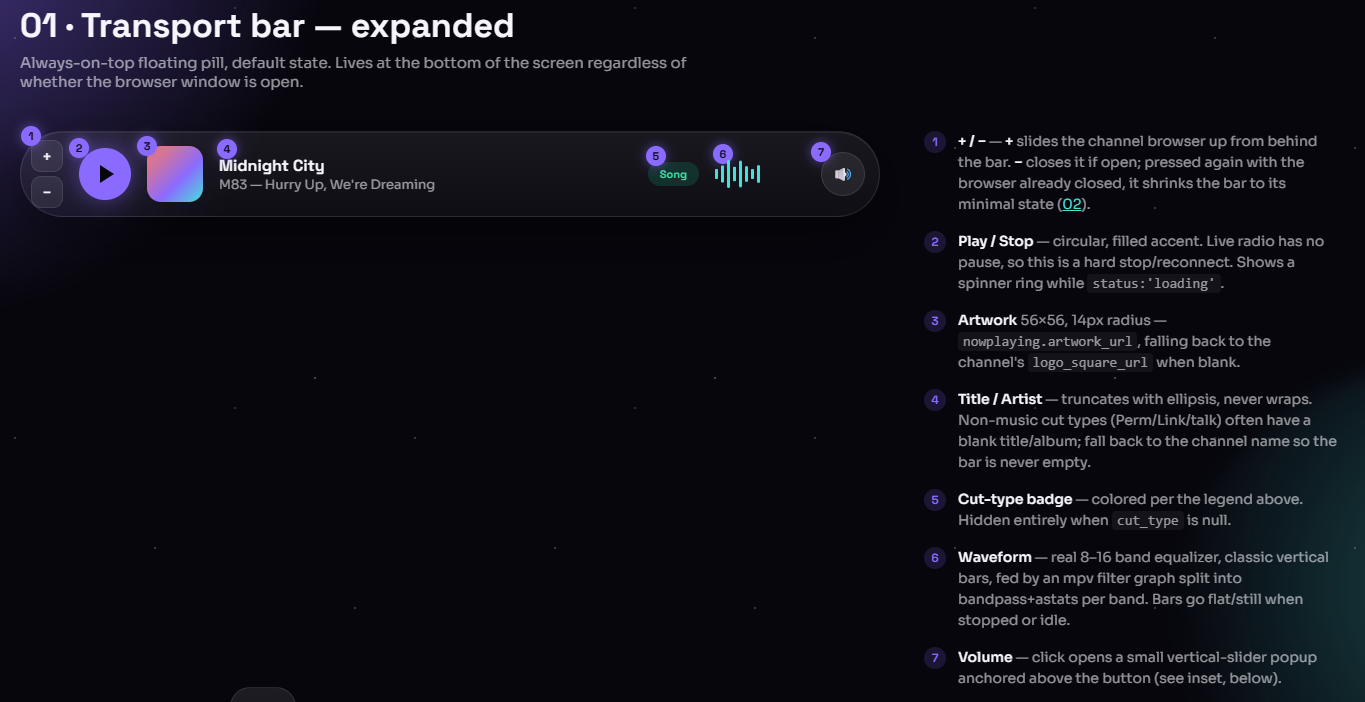
I explained what I was making, the style I wanted for the app, and explained the sketch I created. After some back and forth we had an entire design system for Claude and myself to work off of.
This app was initially going to be called Pulsar but was changed due to conflicts with related projects.
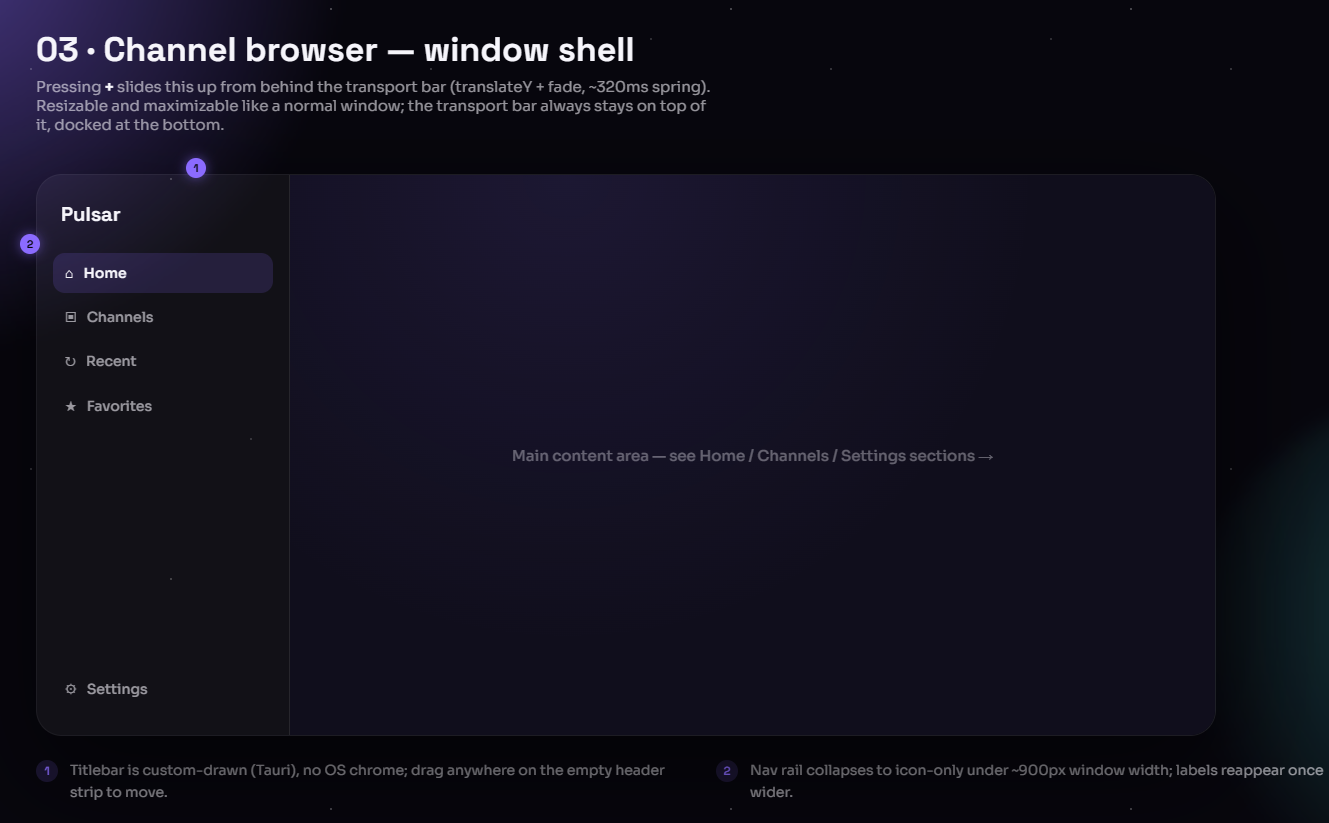
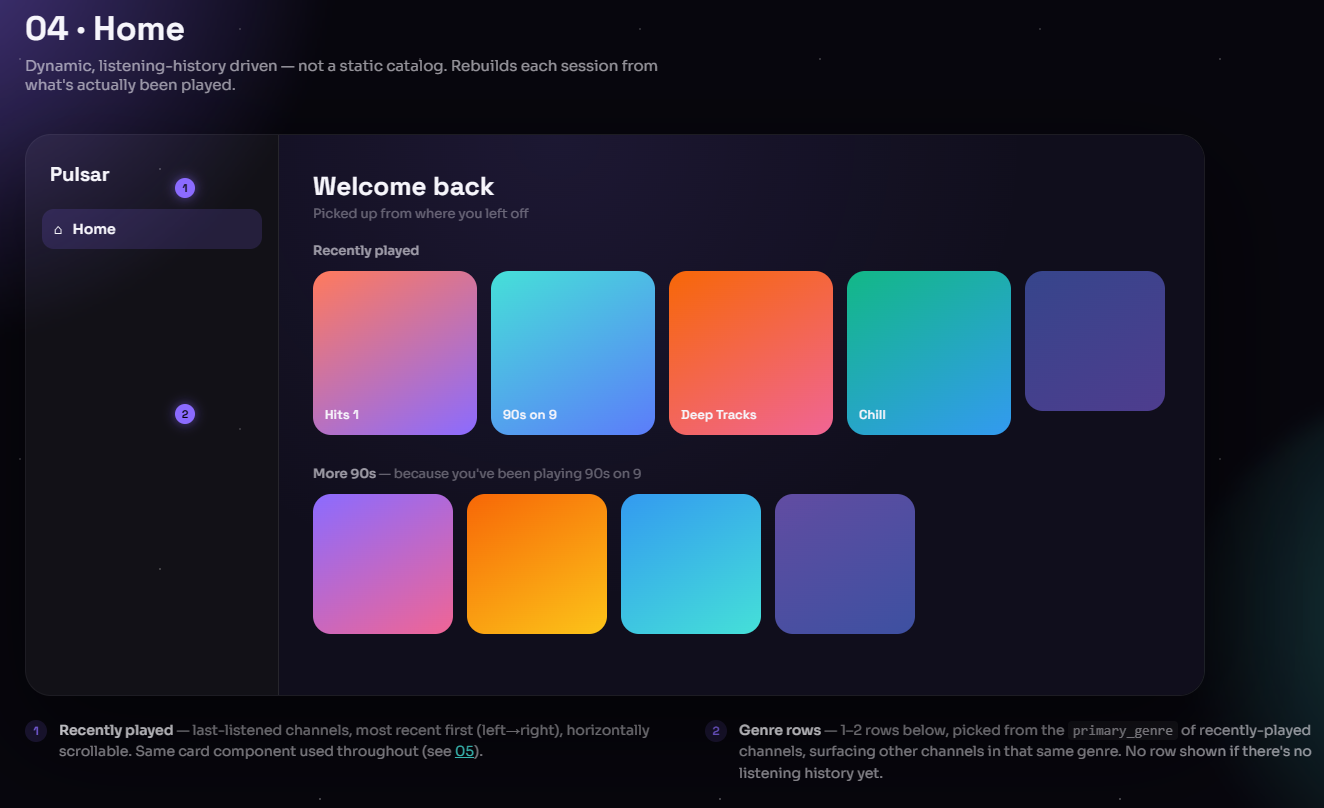
Initial App
At this point time to actually start coding. I grabbed the handoff prompt from Claude Design and gave it to Claude Code. I gave the prompt to Opus , and had it create a detailed plan file to create what we planned.
Then I cleared context and told Opus to read the plan file and design docs, then use sub agents to do each task one at a time. Using sub agents keeps context windows from overflowing.
Each task gets its own context window and the main agent has an overview of the entire project. The main agent knows exactly what to tell the sub agent for each step because it knows what was done and what needs to happen. Sub agents also let us save some costs by using cheaper models, because this is gonna be a lot of code.
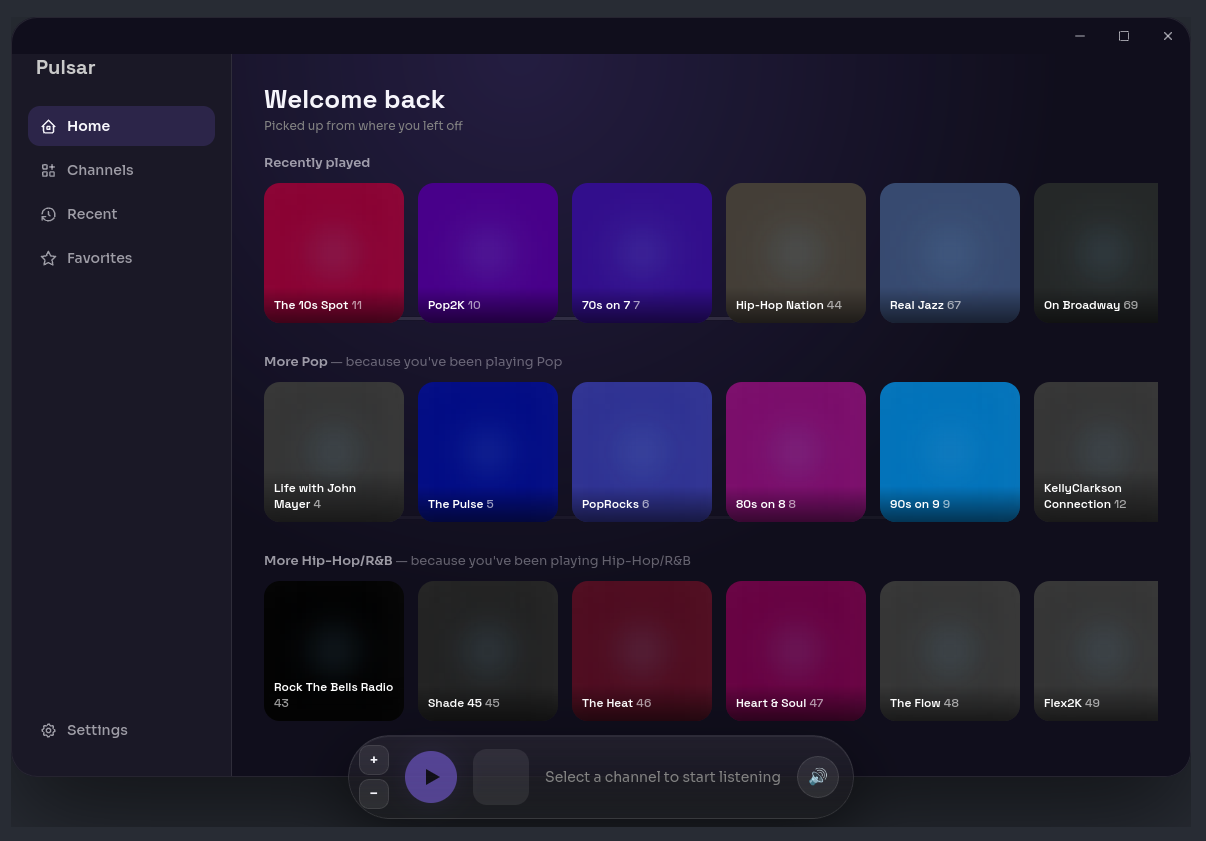
Improvements
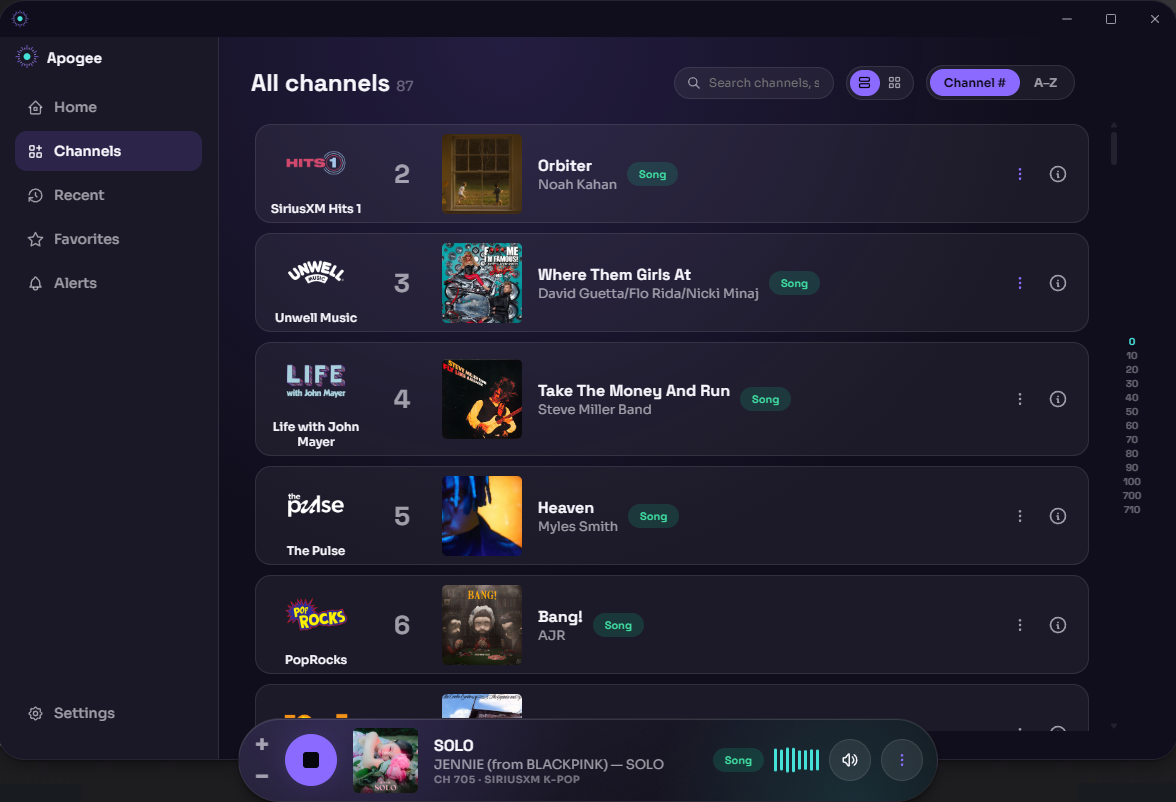
Taking a look at our initial build, things are progressing well. It looks just like our plans, and if conditions are perfect, it plays a steram. We can improve.
I added better stream handling so the app can recover from interuptions. The UI was tweaked and tuned so make things more readable and fix glitches. We also added a list view to channels so we can display now playing artist info.
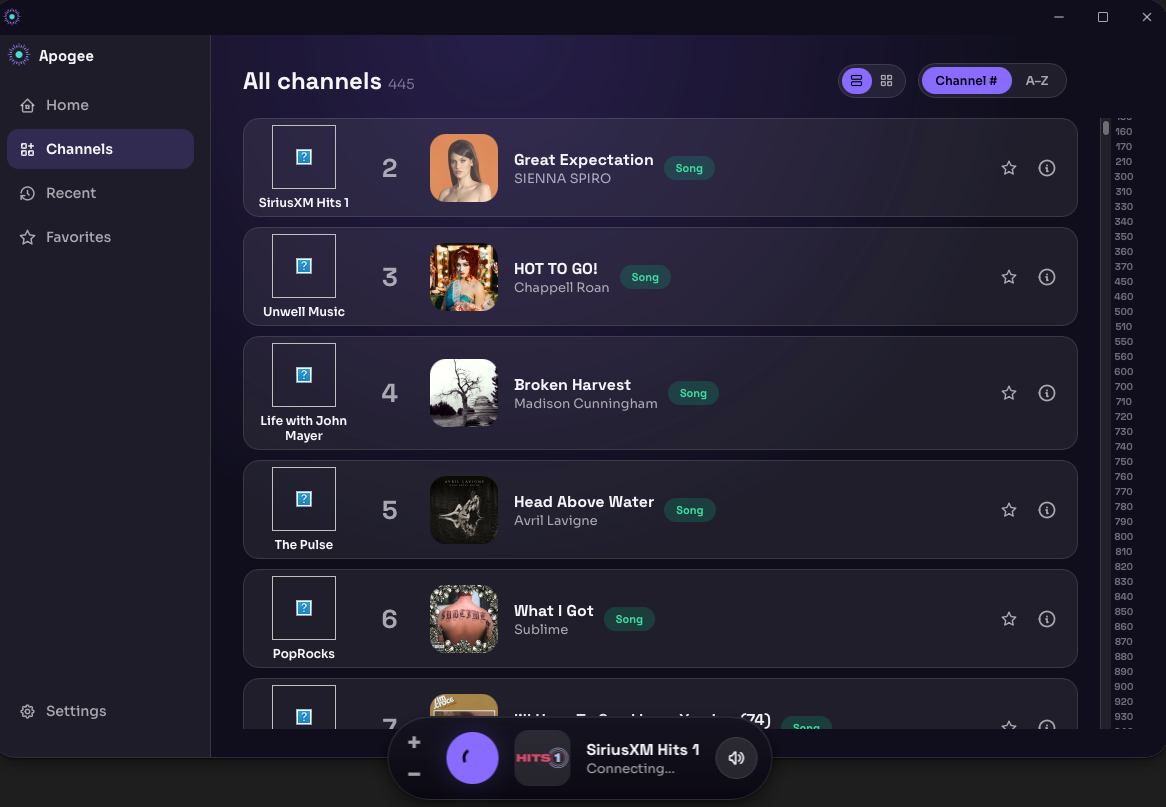
Fixed logos and some more polish brought us to this:
Logo
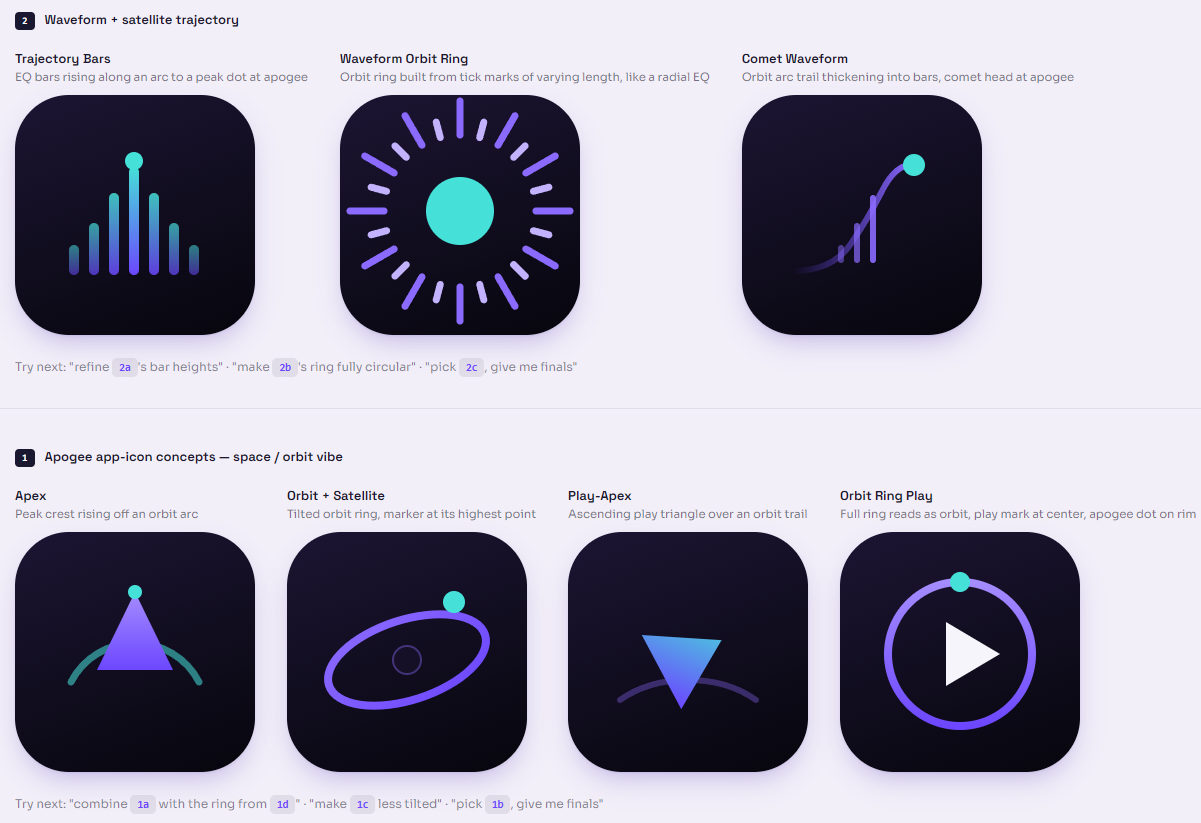
If you noticed in the above screenshot, the app now has a logo! Claude Design also helped with that. In a new session I gave it the app’s colors and themeing/vibe I was looking for and it presented some concepts.
Once we finalized on one I downloaded it as SVG, and gave it to Claude Code. Since an SVG is a vector format, we can make a copy at any resolution.
Features
Once I got the app working, I asked myself, what else can we do? So I started adding in my favorite features from other apps I’ve used in the past.
Music Visualizer
I have always thought music visualizers look so cool. I created a loopback device in the app to capture the audio from it and create a real visualizer that reacts to the actual audio.
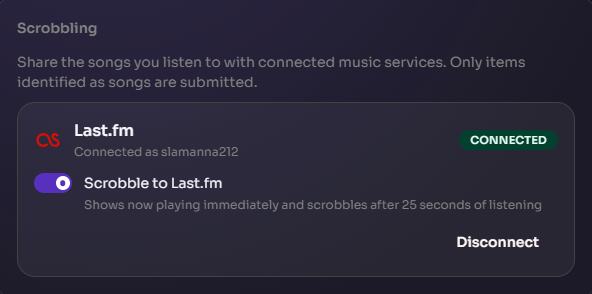
Last.FM Scrobbling
Alerts
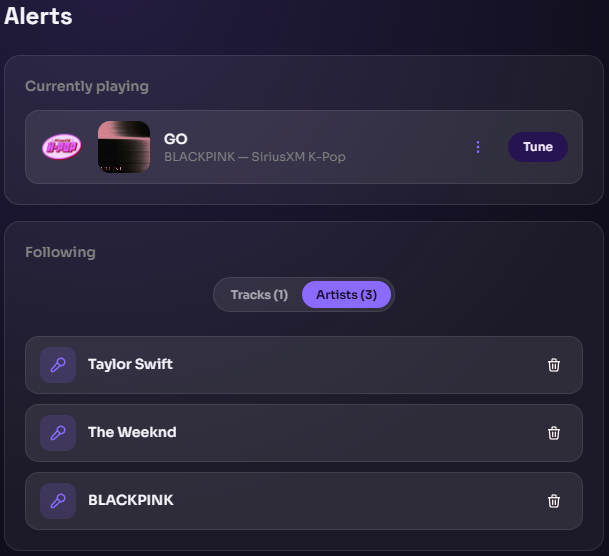
You can follow Tracks and Artists, and get alerts in the app, and in your OS, when they are playing on any channel.
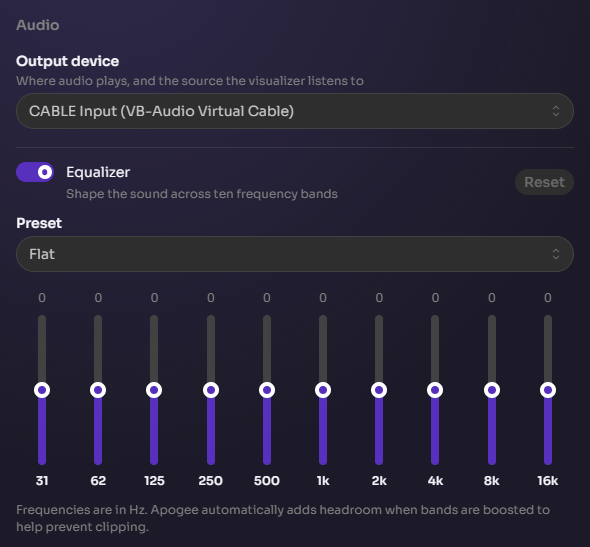
Equalizer
Discord Integration
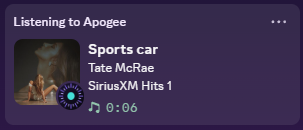
I wanted it to match the styles of other music apps that integrate with Disocrd so it doesn’t look out of place.

Final Notes
There are plenty more steps after this but I did not want this post to be too long. I might expand in the future.